
What it does

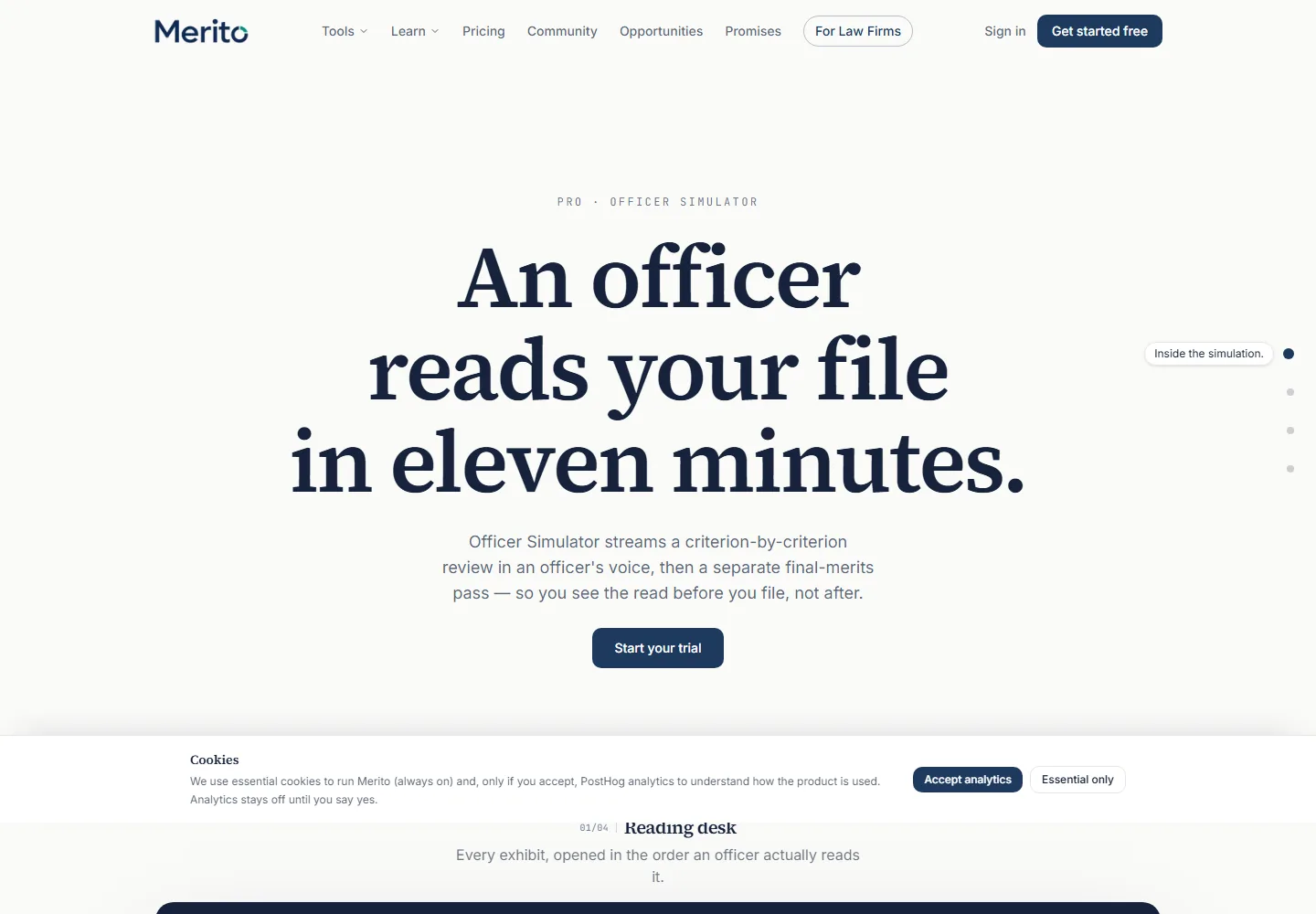
- Streams a criterion-by-criterion review of your case file in a simulated officer's voice, choosing from four reviewing personas (Neutral, Skeptical, Seasoned, Judge), each reading your evidence in real time.
- Runs a separate final-merits pass afterward — the totality-of-the-record review that individual-criterion strength alone doesn't determine — then an optional decision preview (simulated approval reasoning, RFE, or denial discussion).
- Tracks a "disposition" across the whole session — three simulated qualitative axes (confidence, openness, concern), shown only as bands, never as a number or a prediction.
When to use it
Officer Simulator sits in the Stress-test stage of the Case Journey, alongside Devil's Advocate and Debate Mode — run it after Field & Narrative Studio and Merito Audit have already shaped and cleaned up your case, since this tool is meant to read the case as it currently stands, not help you build it. It's also the one tool in this guide set that additionally requires your case's synthesized Case File to already exist (built by running Analyze on at least one project) — a distinct, earlier gate from the general readiness checklist below.
Before you start
- Standard Case File readiness checklist: a CV in General, 3 analyzed criterion projects with distinct primary criteria, 8 ready documents case-wide.
- Additionally: your case's synthesized Case File must already be built (via Analyze) — if it isn't, you'll see "Your Case File isn't built yet" instead of the tool, with a direct link back to your case.
- Cost: 3 credits to start a review session (Part 1), 1 more credit for the final-merits pass, 1 more for the decision preview — three separate credited steps you can stop after any one of them.
- Typical time: a few minutes for the streamed criterion-by-criterion review, plus roughly a minute for final merits if you continue.
Step by step
Pick a persona. Choose Neutral (applies the Policy Manual evenly), Skeptical (the stricter posture from recent AAO decisions), Seasoned (open to comparable evidence and nontraditional fields), or Judge (a cooler, synthesizing voice that weighs both readings before ruling).
Start the review. "Start review" spends 3 credits and begins streaming — the officer's commentary appears live, criterion by criterion, as the Reading Desk panel marks each linked exhibit "Read."
- Tip: watch the Disposition panel alongside the commentary — it updates per criterion in real time, not just at the end.
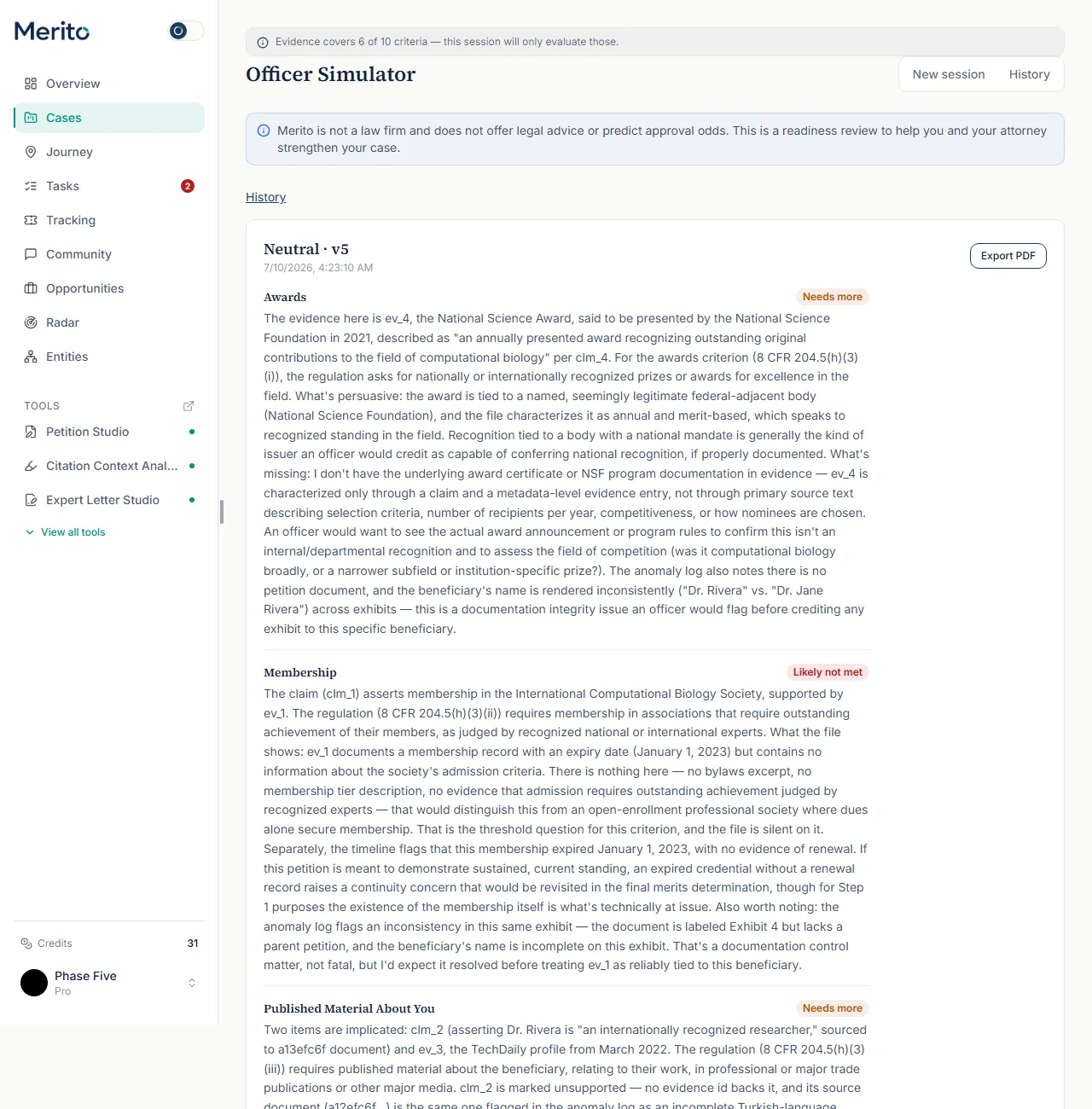
Read each criterion's posture. As each criterion closes, it's marked Likely met, Needs more, or Likely not met, with the officer's reasoning citing specific evidence IDs and, where relevant, the regulation itself.
Continue to final merits. Once Part 1 finishes, click "Begin final merits review" — this step explicitly reviews the totality of the record (pattern and continuity of acclaim, independence of the evidence, whether it places you at the top of the field), for 1 more credit.
- Warning: some files satisfy every individual criterion and still read as "Uneven" or "Vulnerable" here — that's the entire reason this is a separate pass, not a formality.
Optionally use a more thorough model. A toggle on the final-merits screen lets you request Opus instead of the default model for that pass.
Read the overall posture. After final merits, an "Overall posture" banner shows Strong / Uneven / Vulnerable, and you can generate a Decision Preview (1 more credit) for simulated approval reasoning, a simulated RFE, or a simulated denial discussion.
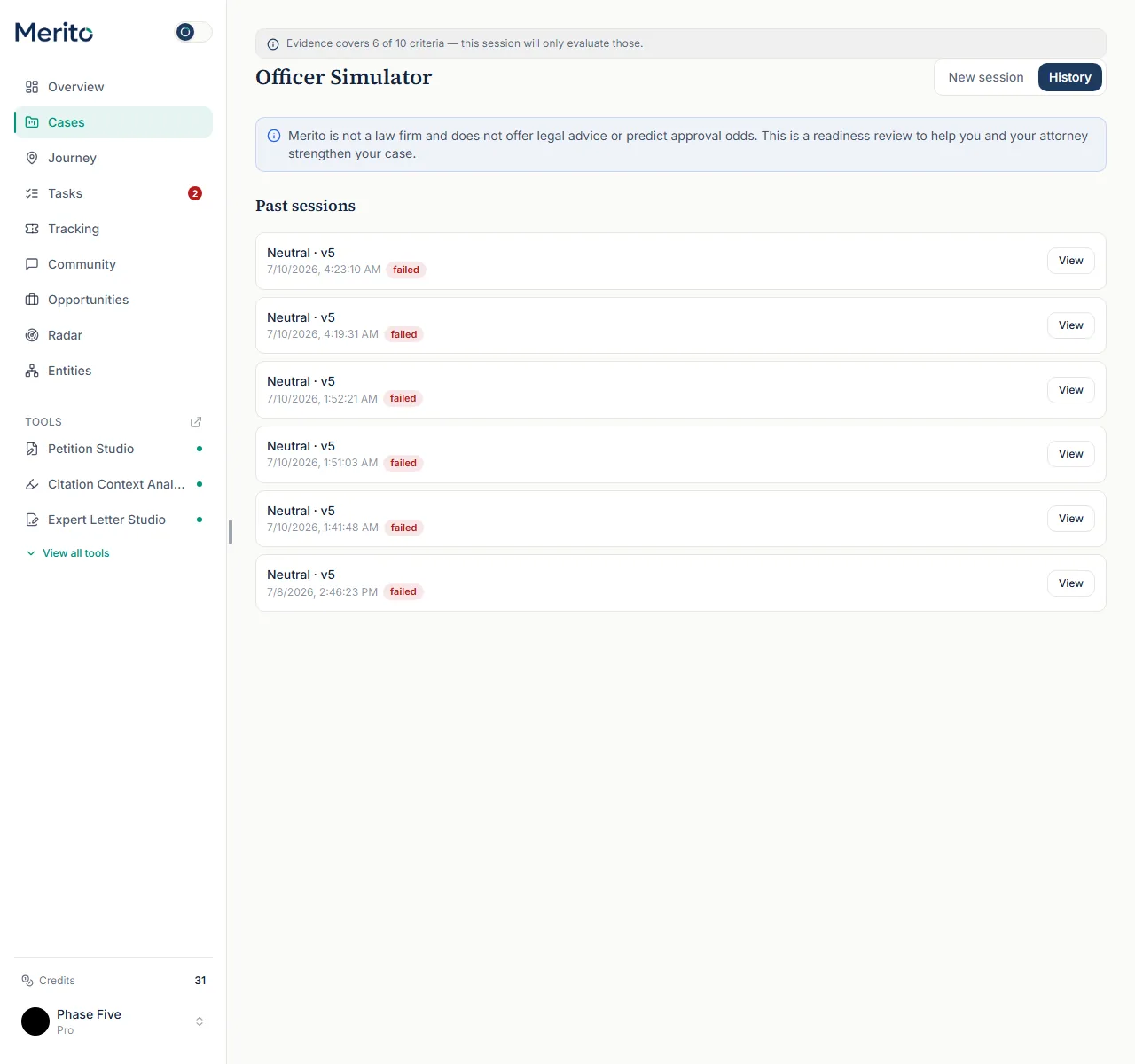
Review or compare past sessions. The History tab lists every past session (persona, version, status); Compare lets you see what changed between two versions of your case file.
Reading the result
- Posture (per criterion): Likely met / Needs more / Likely not met — the officer's read on that specific criterion, with reasoning citing exhibit IDs and, where relevant, the regulation itself (this is real AI-generated commentary, not templated text).
- Disposition panel: Confidence (Unsettled → Forming → Grounded → Firm), Openness (Guarded → Neutral → Receptive), Concern (Low → Elevated → High) — three simulated qualitative bands tracked across the session, explicitly labeled "a simulated reading disposition — not a prediction."
- Overall posture: Strong / Uneven / Vulnerable — the final-merits pass's totality read, separate from any individual criterion posture.
- Decision preview tabs: Approval reasoning / Simulated RFE / Denial discussion — each carries a "SIMULATION — EDUCATIONAL DRAFT" watermark; these are illustrative, not real USCIS correspondence.
- Reading Desk: Waiting / Read — tracks which of your linked exhibits the simulated officer has "read" so far in the stream.
- A session marked failed in History means it was interrupted before finishing — you can still open "View" to see whatever commentary was generated before the interruption, and re-run from the picker.
Every session carries the standard compliance disclaimer band. This entire tool is AI-generated simulation: postures, dispositions, and decision-preview text are illustrative reads of your file, never a probability of any real USCIS outcome.
Free vs Pro for this tool
- Not available on the Free plan —
officer_simulatoris in the Pro plan's tool list, with three separate credited sub-actions. - A 7-day Pro trial includes it, spending from the plan's shared 40 credits/month; a full review-plus-final-merits-plus-preview pass costs 5 credits total.
- Starting the trial requires a card at Stripe Checkout — cancel from the billing portal before the trial ends to avoid a charge. Start it from Officer Simulator's own page, using the main button under the headline; that button's label follows your plan ("Start your free trial" before you have used one, "Run Officer Simulator" once your plan or trial already covers the tool, "Upgrade to Pro" if you have already used it).
Ready to put this to work on your own case? Start free — no credit card required, or start your free trial to unlock the full Pro toolset. For more background from Merito's parent site, see real EB-1A, O-1A, and EB-2 NIW case studies from EB1 Mentor.
Common mistakes
- Starting a full review (3 credits) before your case file actually has evidence covering most criteria — the coverage advisory at the top of the page tells you up front how many of the total criteria your evidence actually covers; a session only evaluates those.
- Treating "Likely met" as a guarantee, or "Likely not met" as disqualifying — these are simulated reading postures for this specific file version, explicitly not predictions.
- Skipping straight to Decision Preview without reading the underlying per-criterion commentary — the preview synthesizes reasoning already established in Part 1 and final merits; it isn't a substitute for reading them.
- Re-running a full session after every small case-file edit — Compare exists specifically so you can see what changed between two existing sessions instead of re-spending 3+ credits each time.
Frequently asked questions
What's the difference between the four personas?
Neutral applies the Policy Manual evenly. Skeptical probes independence and quantity-over-quality the way recent AAO decisions do. Seasoned is open to comparable evidence and nontraditional fields while staying rigorous. Judge weighs the reading for and against each criterion before ruling.
Why is final merits a separate credited step?
Meeting individual criteria and clearing the totality-of-the-record review are legally distinct questions — some files pass every criterion individually and still read unevenly here.
What does the Disposition panel measure?
A simulated read of the officer persona's confidence, openness, and concern — shown only in bands (e.g. "Grounded," "Guarded"), never as a number.
Can I compare two versions of the same case?
Yes — Compare shows a version-to-version delta: objections resolved, unchanged, or newly introduced between two sessions on different case-file versions.
Is Decision Preview a real RFE or denial letter?
No — every tab carries a "SIMULATION — EDUCATIONAL DRAFT" watermark. It's illustrative, not a document you'd file.
What happens if my session fails partway through?
It's marked "failed" in History but still viewable, and you can re-run from the persona picker.
Merito is not a law firm and does not offer legal advice or predict approval odds. This is a readiness review to help you and your attorney strengthen your case.