
What it does

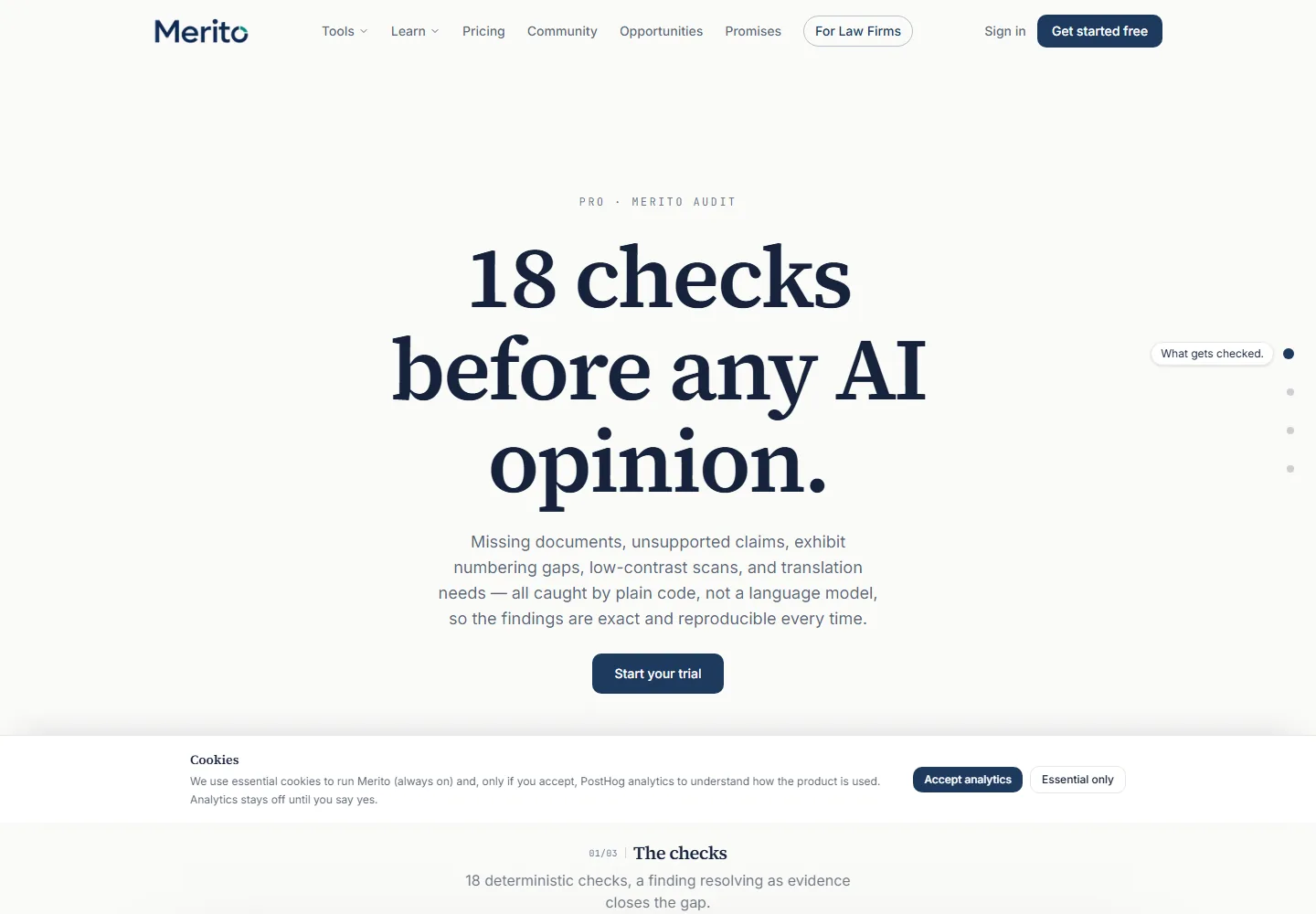
- Runs the deterministic
packages/auditlayer against your case file: dead/redirected links, low resolution or contrast, exhibit numbering gaps, table-of-contents mismatches, name/date inconsistencies, missing required documents, and more — 25 distinct check categories in total. - Groups every finding by severity (Critical / Warning / Info) and surfaces a "Top 3 to fix first" list up front.
- Flags pages that need translation and lets you request a quote directly from the audit — a separate, real workflow, not a placeholder.
Per CLAUDE.md's engineering rules, this is the "code before AI" layer: none of these checks are LLM calls. It's plain code reading your case file, run before or alongside any AI-driven tool.
When to use it
Merito Audit sits in the Assessment stage of the Case Journey, alongside Merito Score and Case Canvas. Run it once your case file has real documents in it — it's the tool that catches mechanical, avoidable issues (a name spelled two ways, a missing exhibit reference, a low-DPI scan) before you move on to AI-driven tools like Officer Simulator, which read the same file for substance rather than mechanics.
Before you start
- Standard Case File readiness checklist: a CV in General, 3 analyzed criterion projects with distinct primary criteria, 8 ready documents case-wide.
- No extra input needed beyond that — the audit reads your existing case file directly.
- Cost: 4 credits per run. Viewing an existing audit's findings, resolving or reopening them, and exporting the PDF cost nothing extra — only running or re-running the audit itself spends credits.
- Typical time: the run itself completes in the background (polled every 3 seconds); reading through the findings afterward takes as long as you want.
Step by step
Run the audit. Click "Run audit" (or "Re-run audit" if one already exists) — this starts the deterministic scan and spends 4 credits.
Wait for it to complete. The page polls automatically; you'll see "Running audit…" until it finishes.
Check translation needs first. If any pages need translation, a "Translation needed" card appears with a page/word count and a "Request quote" button — a real order flow, not informational only.
Scan the findings summary. The header shows counts by severity (critical / warnings / info) and a "Top 3 to fix first" list drawn from your most impactful open findings.
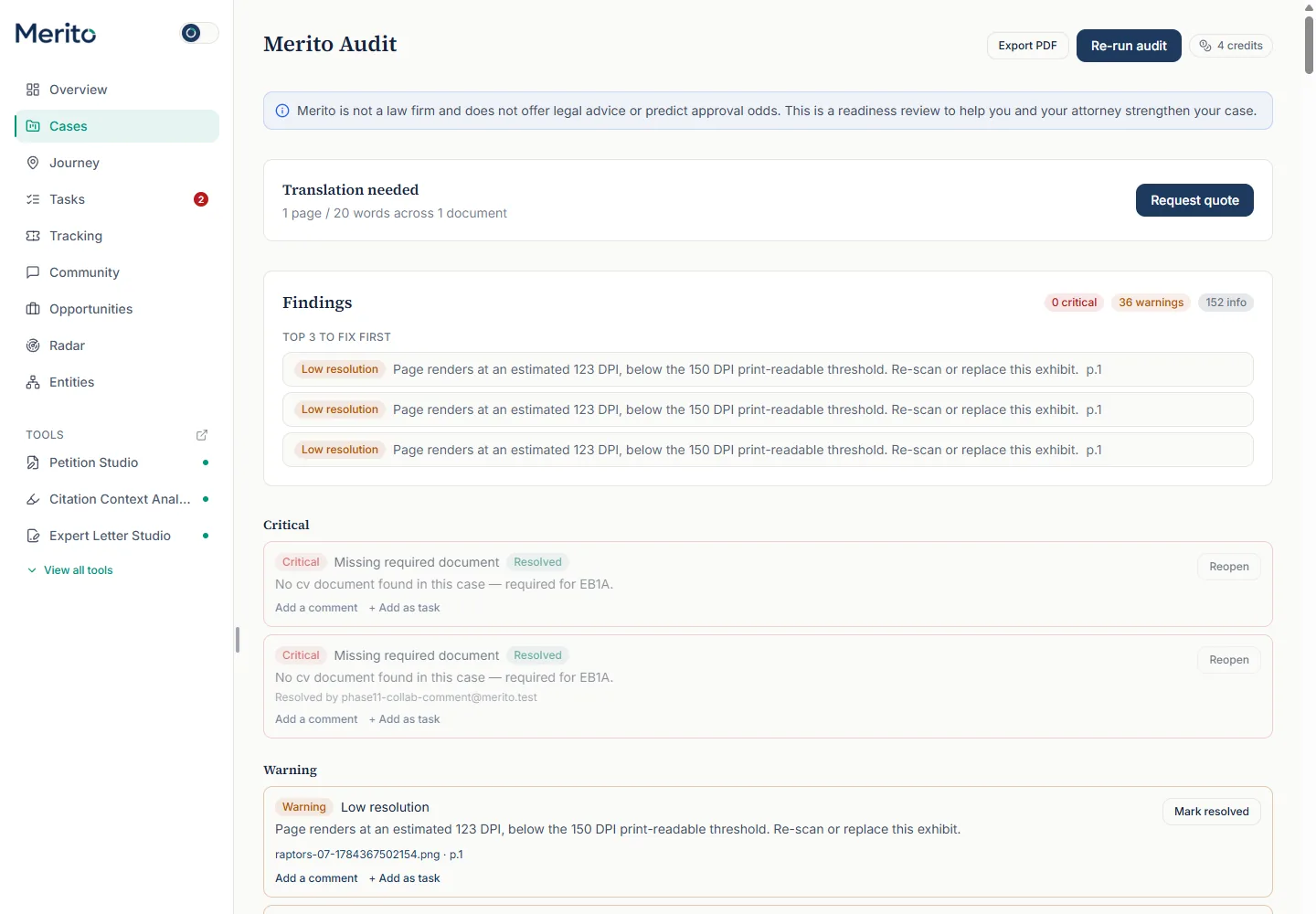
Work through the full findings list. Each finding shows its category label, severity pill, the affected document and page, and a "Mark resolved" or "Reopen" toggle.
- Tip: resolving a finding records who resolved it and when — useful when a collaborator is working through the list with you.
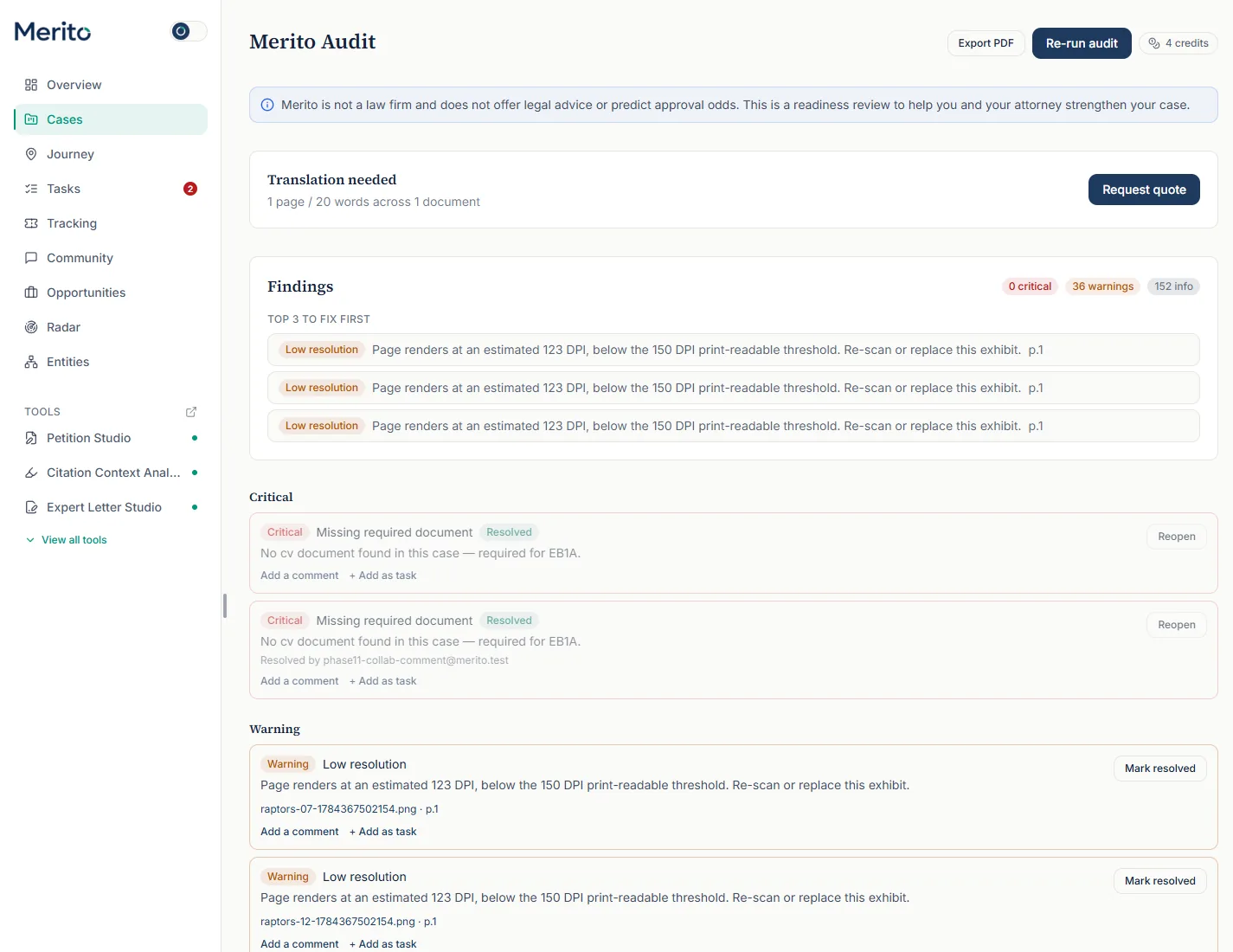
- Tip: resolving a finding records who resolved it and when — useful when a collaborator is working through the list with you.
Check "Commonly requested alongside." Below the findings, this card cross-references the outcome library: for criteria your case already covers, it shows what evidence types other tracked outcomes commonly also included.
Export if needed. "Export PDF" downloads the full findings list. On a trial account, exports are locked until you're on a paid plan — an "Exports unlock with your plan" prompt appears instead.
Reading the result
- Severity: Critical / Warning / Info — Critical findings are the most consequential (e.g. a missing required document); Info covers minor or advisory items.
- Category — one of 25 specific labels: Dead link, Redirected link, Low resolution, Low contrast, Tiny text, Missing certification, Exhibit numbering gap, Missing exhibit reference, Table of contents mismatch, Expired item, Stale evidence, Duplicate page, Blank page, Rotated page, Truncated page, Sensitive data, Missing required document, Missing recommended document, Name inconsistency, Title conflict, Organization naming, Date or figure conflict, Generic language, Unsupported claim, Orphaned evidence, Overstated claim.
- Resolved / Reopen — a finding you've addressed can be marked resolved (showing who resolved it) and reopened later if needed; resolved findings aren't deleted, just labeled.
- Translation needed — a page/word count across however many documents need translation, with a direct "Request quote" action.
- Commonly requested alongside — pattern data from the outcome library, not a claim about what USCIS requires; it explicitly says when no patterns are available yet for your case's criteria.
Free vs Pro for this tool
- Not available on the Free plan — it's one of the tools in the Pro plan's tool list (
merito_audit). - A 7-day Pro trial includes it, spending from the plan's shared 40 credits/month; at 4 credits per run, a trial covers several audit passes as your case file changes.
- Starting the trial requires a card at Stripe Checkout — cancel from the billing portal before the trial ends to avoid a charge. Start it from Merito Audit's own page, using the main button under the headline; that button's label follows your plan ("Start your free trial" before you have used one, "Run Merito Audit" once your plan or trial already covers the tool, "Upgrade to Pro" if you have already used it).
Ready to put this to work on your own case? Start free — no credit card required, or start your free trial to unlock the full Pro toolset. For more background from Merito's parent site, see EB1 Mentor's EB-1A criteria service overview.
Common mistakes
- Re-running the audit (spending another 4 credits) before resolving any findings from the last run — resolving and reopening findings is free; a re-run is only needed after real changes to the case file.
- Ignoring Info-level findings entirely — several categories in that tier (generic language, orphaned evidence) are about narrative quality, not just mechanics, and are worth a look even though they're not Critical.
- Requesting a translation quote without checking the page/word count first — the card shows exactly what's being quoted before you request it.
- Assuming "Top 3 to fix first" is the complete list — it's a prioritized subset; the full findings list below it is the actual complete record.
Frequently asked questions
Does Merito Audit use AI?
No — it's the deterministic, code-first layer described in the product's own engineering rules. Every check (link status, DPI, exhibit numbering, name consistency) is plain code reading your case file, not a model call.
Why does it cost 4 credits if it's not AI?
The credit cost reflects the compute and document-processing work (re-scanning every document, checking every link, computing readability), not model usage specifically — cost isn't a proxy for "AI vs. not AI" in this product.
Can I resolve a finding and have it come back?
Only if you reopen it yourself, or if a genuinely new instance of the same issue is found on a later re-run — resolving doesn't suppress future occurrences of the same category.
What does "commonly requested alongside" actually tell me?
It's pattern data from the outcome library — what evidence types other tracked outcomes for your case's covered criteria commonly also included. It's explicit about showing nothing when the library has no pattern for your criteria yet, rather than guessing.
Is the PDF export the same as the on-page findings?
Yes — same findings, same resolved/open state, laid out for printing or sharing. Trial accounts need a paid plan to unlock the export.
Merito is not a law firm and does not offer legal advice or predict approval odds. This is a readiness review to help you and your attorney strengthen your case.