
What it does

- Answers a different question from Merito Score: not "how ready is my evidence for one category," but "which of EB-1A, O-1A, and EB-2 NIW actually fits my situation, and why."
- Walks you through a short set of questions (no category picked upfront) and returns a fit level for all three paths side by side — each with its own stated reasons and a typical timeline.
- Where your answers support it, adds staged-strategy suggestions — for example, pursuing one path first while building toward another.

This is a rule-based comparative read against each category's real requirements, run against your own answers — never a probability, never an approval prediction. The tool's own copy is explicit about that, and every result carries the standard compliance disclaimer.
When to use it
Run Pathway Navigator before you commit to a category — most petitioners use it before Merito Score, since it helps decide which category's detailed questions are even worth answering. It sits outside the tracked, in-app Case Journey (like Merito Score, it's a free standalone check, not a journey stage) — so there's no "before" step inside a case; it's the entry point for someone who hasn't opened a case yet.
After you get a result, the tool's own results page points you to Citation Quick-Check next (/tools/citations) to check your academic citation profile. Once you've settled on a category, the natural next step for a deeper read within it is Merito Score.
Before you start
- No account, no upload, no case required. Have a rough sense of your field, achievements, and evidence gathered so far — that's all the questions ask about.
- Takes about 3–5 minutes to answer all 9 questions.
- Cost: free. No
tool_costsrow exists for this tool — running the comparison costs nothing, ever, on any plan.
Step by step
Open the tool. There's no visa-type selection step — the same 9 questions run regardless, since figuring out which category fits is the tool's whole job.
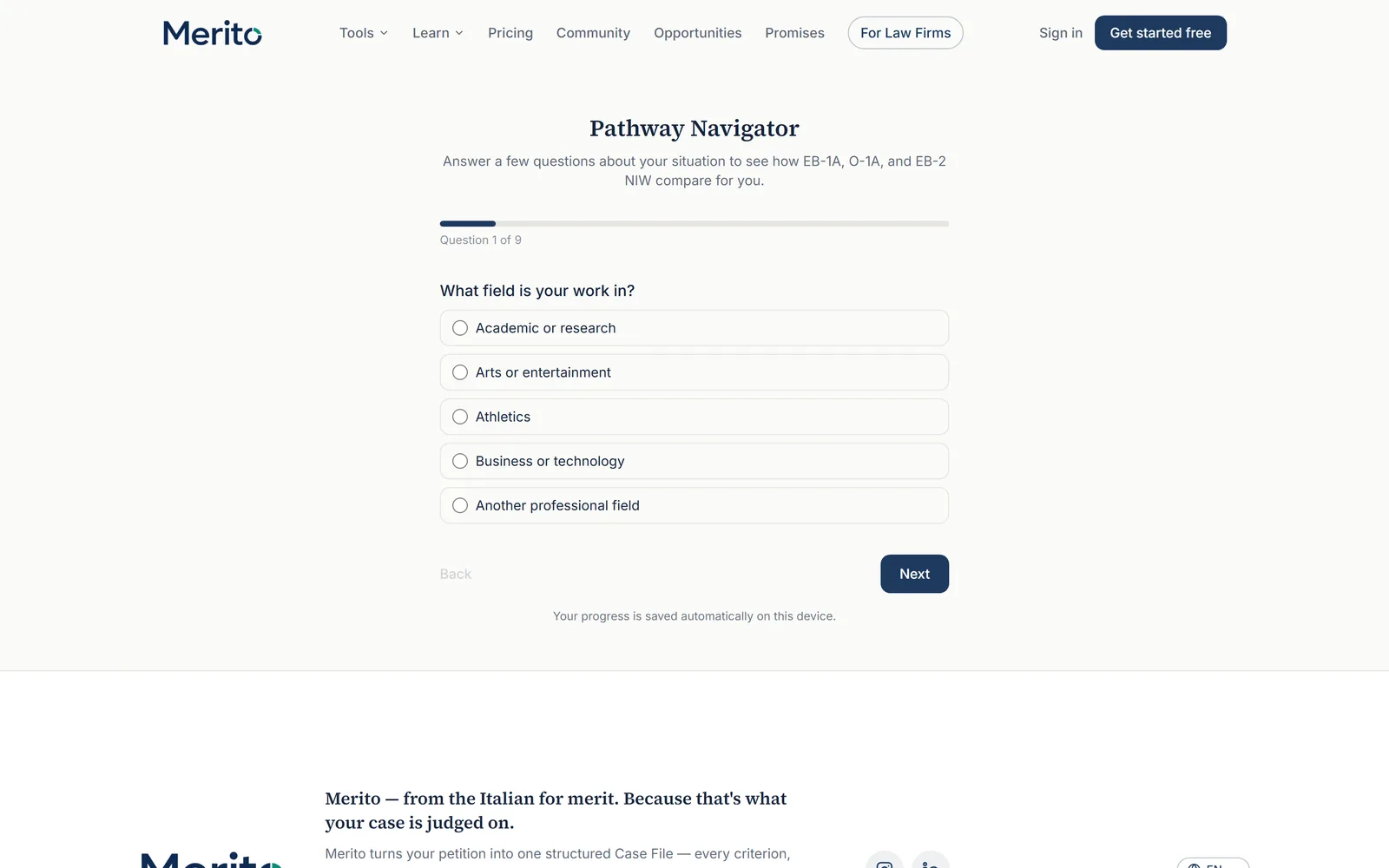
Answer the questions, one (or a small related group) per screen — your field, your achievements, and your evidence so far.
Tip: Answer as your situation actually is today, not as you hope it will be in a year. The comparison is only as useful as the honesty of the inputs.
Your progress autosaves on this device as you go, with a "Back" option available from question 2 onward.
Submit on the last question to see your results.
Create a free account (about 10 seconds) when prompted — your preview is ready immediately, and the full three-way comparison unlocks on the same page the moment you sign up.
Read the three cards — one per category — each showing its fit level, its stated reasons, and a typical timeline. Where relevant, a "Worth considering" panel shows staged-strategy suggestions.
Example output — a static placeholder is used here in place of a live results screenshot. No fixture account in this pass had an existing, claimed Pathway Navigator session to capture without triggering a fresh run; see the report's evidence table for exactly which steps this applies to.
Optional: download the full PDF summary, or select "Retake the assessment" if your situation changes.
Reading the result
- Fit level — Strong fit, Possible fit, or Unlikely fit, shown separately for EB-1A, O-1A, and EB-2 NIW, each with its own color indicator. These are independent reads, not a forced ranking — more than one category can genuinely show "Strong fit" at once.
- Why — the specific reasons behind that category's fit level, drawn from your own answers, not a generic description of the category.
- Typical timeline — a general timeline note for that specific category.
- Worth considering — staged-strategy suggestions, shown only when your specific answer pattern actually triggers one (for example, a near-term category as a bridge while building toward a longer-term one).
Warning: None of these fields are a probability or an approval prediction. The disclaimer band on the results page says so directly — treat the fit level as "how your record compares against real requirements," not "your odds."
Free vs Pro for this tool
- Pathway Navigator itself has no paid tier — the full three-way comparison, reasons, timelines, and staged strategies are free forever behind a 10-second free account, on any plan.
- What a free account does not include is turning the comparison into a tracked case: the results page's own upsell is "turn this into a real case with a full evidence file" and "your Merito Score tracked over time" — both live inside a Merito case, which is where the product's paid plan applies.
- If you go on to start the 7-day Pro trial for the rest of the product, note that Stripe's checkout collects a card upfront for that trial (it is not a no-card trial); cancelling anytime afterward is self-serve through the billing portal. None of this is required just to run Pathway Navigator.
- Start your free trial from
/dashboard/billingonly once you're ready to build an actual case — Pathway Navigator itself never asks for it.
Ready to put this to work on your own case? Start free — no credit card required, or start your free trial to unlock the full Pro toolset. For more background from Merito's parent site, see real EB-1A, O-1A, and EB-2 NIW case studies from EB1 Mentor.
Common mistakes
- Expecting a category-selection step first. There isn't one — comparing all three at once is the entire point, and picking a category upfront isn't part of the flow.
- Treating the three fit levels as mutually exclusive. A petitioner can show "Strong fit" on more than one path — that's exactly when the staged-strategy suggestions matter most.
- Skipping the timeline note. It's easy to overlook next to the more prominent fit-level label, but timeline is often the deciding practical factor once evidentiary fit looks comparable across paths.
- Answering the most flattering version of an ambiguous situation instead of the most likely real one — the same honesty principle Merito Score runs on.
Frequently asked questions
Is Pathway Navigator really free, with no login required?
Yes. Taking the full comparison and seeing a preview needs no account. A free account (about 10 seconds) is only required to unlock the complete three-way comparison.
Does it tell me which single path is "best"?
No. It shows how all three categories fit your situation side by side, with reasons and timelines for each. Choosing among them — or pursuing more than one in sequence — is left to you.
Is the fit level an AI judgment, or a prediction of my approval odds?
Neither. It's a rule-based comparative read against real category requirements, applied to your own answers. It is never a probability or an approval prediction.
What are "staged strategies," and why don't I always see any?
They're suggestions for sequencing more than one path. They only appear when your specific answers trigger a relevant staged suggestion, not on every result.
Can I retake it if my situation changes?
Yes — "Retake the assessment" is available directly from your results page.
Does this replace Merito Score, or do I need both?
They answer different questions: Pathway Navigator compares which category fits at all; Merito Score gives a criterion-by-criterion readiness read within one specific category. Most petitioners get value from both, usually Pathway Navigator first.
Merito is not a law firm and does not offer legal advice or predict approval odds. This is a readiness review to help you and your attorney strengthen your case.