
What it does

- Retrieves the AAO (Administrative Appeals Office) decisions most relevant to your case's actual claims, using retrieval over Merito's AAO decision corpus.
- Summarizes the argument patterns that recur across those decisions — how similar cases framed the same criteria, in Merito's own words, with citations checked against the retrieved set.
- Explicitly does not predict your case's outcome. Merito's own description for this tool states it plainly: it finds relevant decisions and summarizes patterns "not a prediction of this case's outcome."
When to use it
Case Matcher lives in the Case Journey's Stress-test stage, as an optional side-quest next to Officer Simulator, Devil's Advocate, and Debate Mode — all three of which are required at that stage. It unlocks once your Position stage (narrative and drafting) is complete.
Run it after your case's claims are settled but before you rely on Officer Simulator alone — seeing how real AAO decisions discuss the same criteria gives you concrete language and precedent to check your own argument against.
Before you start
- Requires a completed Case File. Case Matcher reads your case's claims directly from the Case File; if it isn't built yet, the run is blocked with "Case File not ready."
- Cost: 1 credit per run. A rerun (after new evidence, for example) costs another credit.
- Typical time: under a minute — it's a single retrieval plus one Sonnet call, run synchronously, not a background job.
Step by step
Open Case Matcher from your case. Navigate to the case's Matcher tab. If you're not the case owner, you can view existing results but can't start a new run.
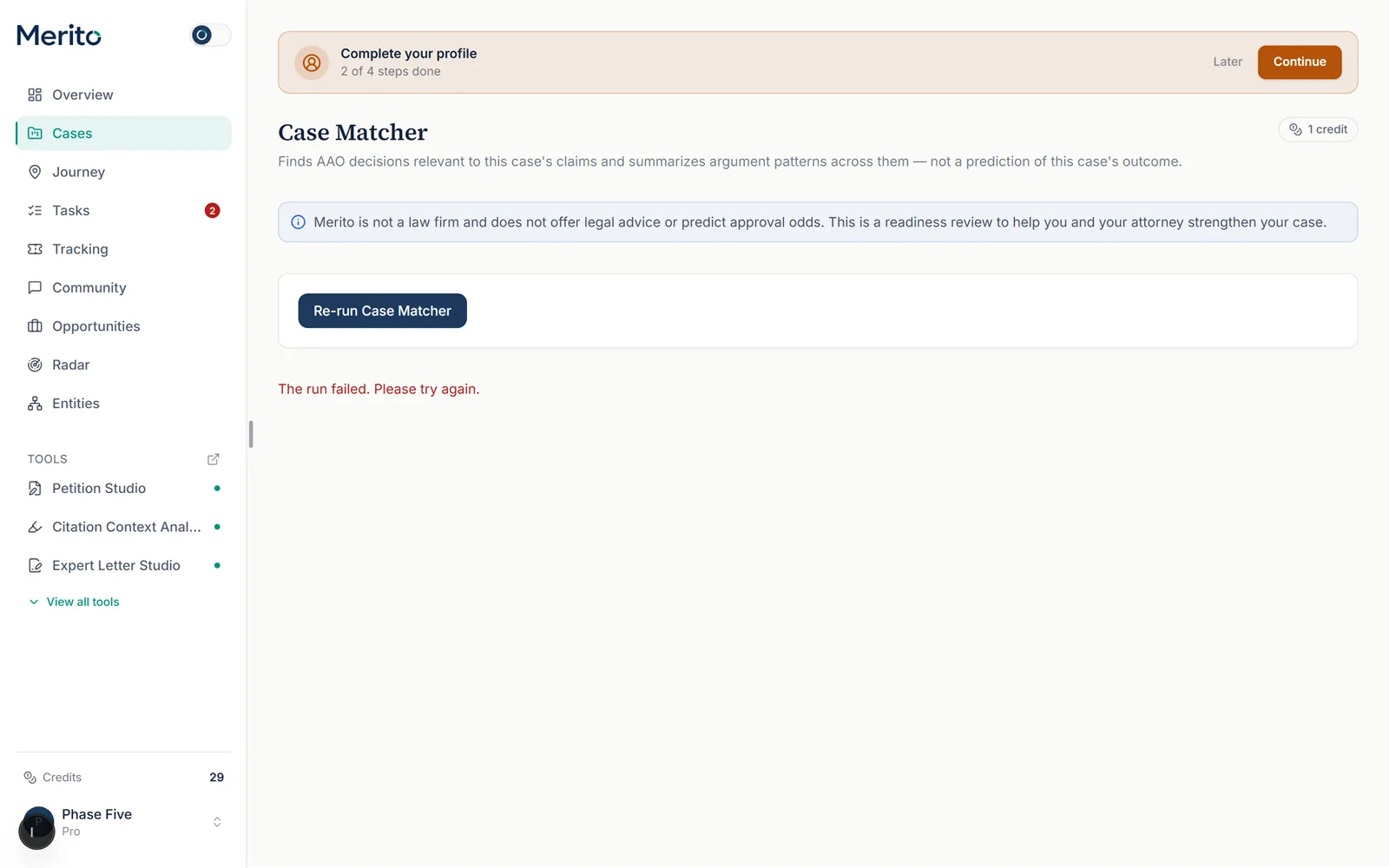 (This fixture case's most recent run happened to have failed, which is why the button reads "Re-run" rather than "Run" and an error line is shown — a real, honest state, though not the completed-results state described in steps 3-5 below. Re-running it to capture that state would spend a real credit, which this guide avoids — see the note at the end of this guide.)
Run the matcher. Select Run Case Matcher. If you don't have enough credits, you'll see the exact cost and your current balance, with a buy-credits or upgrade option.
Review the nearest AAO decisions. Each result shows a decision identifier, year, outcome (Dismissed / Sustained / Remanded — shown as a neutral pill, not color-coded good/bad), the criteria it discussed, and a matching excerpt.
Warning: Outcome labels are deliberately neutral. A "Sustained" decision isn't a green light for your case, and a "Dismissed" one isn't a red flag — Case Matcher never tints outcomes by favorability, on purpose.
Read the related patterns. Below the decision list, related patterns from Merito's Outcome Library appear for the criteria your matches discussed — if the library has no coverage yet for those criteria, that's stated as a library-coverage gap, not a gap in your evidence.
Read the argument-pattern synthesis. The bottom section is Merito's own summary of how these decisions argue the shared criteria — written from the retrieved excerpts, with any citation not found in that retrieved set automatically flagged and cleaned.
Re-run after significant changes. If you add new evidence or your claims shift meaningfully, re-run the matcher (another 1 credit) to see fresh matches.
Reading the result
- Identifier / year — which AAO decision this is, for your own further reading.
- Outcome pill — Dismissed, Sustained, or Remanded, shown neutrally. Treat it as context, never as a signal about your own case.
- Criteria discussed — the specific criterion codes that decision addressed, normalized to Merito's own criterion spelling.
- Matching excerpt — the actual retrieved text driving the match, so you can judge relevance yourself rather than trust a black-box score.
- "No relevant decisions were retrieved" — an honest empty state when nothing in the corpus matches your claims well; not an error.
- Argument patterns (synthesis) — Merito's own written summary tying the matched decisions together; every citation in it is checked against the decisions actually retrieved.
Free vs Pro for this tool
- Case Matcher isn't on the Free plan — it's on the Pro plan's included tools list, so a Pro subscription unlocks the ability to run it at all.
- Being "included" doesn't mean unlimited: every run, Pro or not, still spends 1 credit from your balance (40 credits/month on Pro).
- The 7-day Pro trial (card required at signup) includes 10 trial credits — enough for several Case Matcher runs on top of everything else you try.
- Start your free trial to run Case Matcher against your own case's claims.
Ready to put this to work on your own case? Start free — no credit card required, or start your free trial to unlock the full Pro toolset. For more background from Merito's parent site, see real EB-1A, O-1A, and EB-2 NIW case studies from EB1 Mentor.
Common mistakes
- Reading "Sustained" or "Dismissed" as a verdict on your own case. The outcome pill describes that decision's own history — Merito deliberately doesn't color-code it as good or bad news for you.
- Running it before your claims are settled. Case Matcher retrieves against your Case File's current claims — run it again after you meaningfully change your narrative, don't rely on stale matches.
- Treating "similarity" as a score you can chase. The tool doesn't display a similarity percentage in the UI; it shows you the actual matched excerpt so you can judge relevance directly.
- Skipping the related-patterns section. It's easy to read only the decision list and miss the Outcome Library patterns underneath, which are often the more actionable part.
Frequently asked questions
Does Case Matcher predict whether my case will be approved?
No. It explicitly finds relevant AAO decisions and summarizes patterns — never a probability or prediction of your outcome.
What does "Remanded" mean?
It's one of the three outcome categories AAO decisions carry (Dismissed, Sustained, Remanded) — shown as a neutral status label, not a favorability signal.
Why do I need a completed Case File first?
The tool retrieves against your case's actual claims, which live in the Case File — without one, there's nothing to match against.
Can someone I've shared my case with run Case Matcher?
Only the case owner can start a new run; collaborators with view access can see existing results.
Does it cost credits every time I run it, even on Pro?
Yes — 1 credit per run regardless of plan, since being on Pro's tools list unlocks access, not unlimited use.
What corpus does it search?
Merito's own AAO mini-corpus — real Administrative Appeals Office decisions, retrieved by relevance to your claims and criteria.
Merito is not a law firm and does not offer legal advice or predict approval odds. This is a readiness review to help you and your attorney strengthen your case.