
What it does

- Tracks one or more USCIS receipt numbers, showing status and a history of status changes. Processing-time context for your form/service center is not shown today (no processing-time data is loaded); it will appear once that data is available, and until then the card shows no processing-time line at all.
- Compares your Visa Bulletin category and country against the latest Visa Bulletin, when your priority date and category are set in your profile — showing whether you're current, and how far away or how much the cutoff moved since last month.
- Runs in one of two modes: automatic sync against real USCIS data through the Torch provider, or manual entry, where you record status changes yourself. Today, in this environment, it runs in manual mode — automatic sync activates only once USCIS API credentials are configured, and Merito never serves mock status data in their place.
When to use it
Case Tracking sits in the Case Journey's File & Watch stage — it's required, and unlocks once Stress-test (Officer Simulator, Devil's Advocate, Debate Mode) is complete. Add your receipt number as soon as your petition is actually filed with USCIS; before that, there's nothing to track yet.
If USCIS ever issues a Request for Evidence, a status update here is what feeds the Respond stage and routes you toward RFE Studio.
Before you start
- You need a real USCIS receipt number (3 letters + 10 digits, e.g.
EAC1234567890) to add a tracked case — the form validates the format before it lets you submit. - Cost: free to use on every plan, no credit charge — only the number of cases you can track at once differs by plan (1 on Free, 5 on Pro,
plans.features_json.max_tracked_cases). - Typical time: under a minute to add a case; ongoing use is just checking back and updating status by hand until automatic sync is live.
Step by step
Open the Tracking dashboard. Navigate to your dashboard's Tracking page. If automatic USCIS sync isn't active, you'll see an "Automatic USCIS sync — coming soon" badge and an empty state if you have no tracked cases yet.
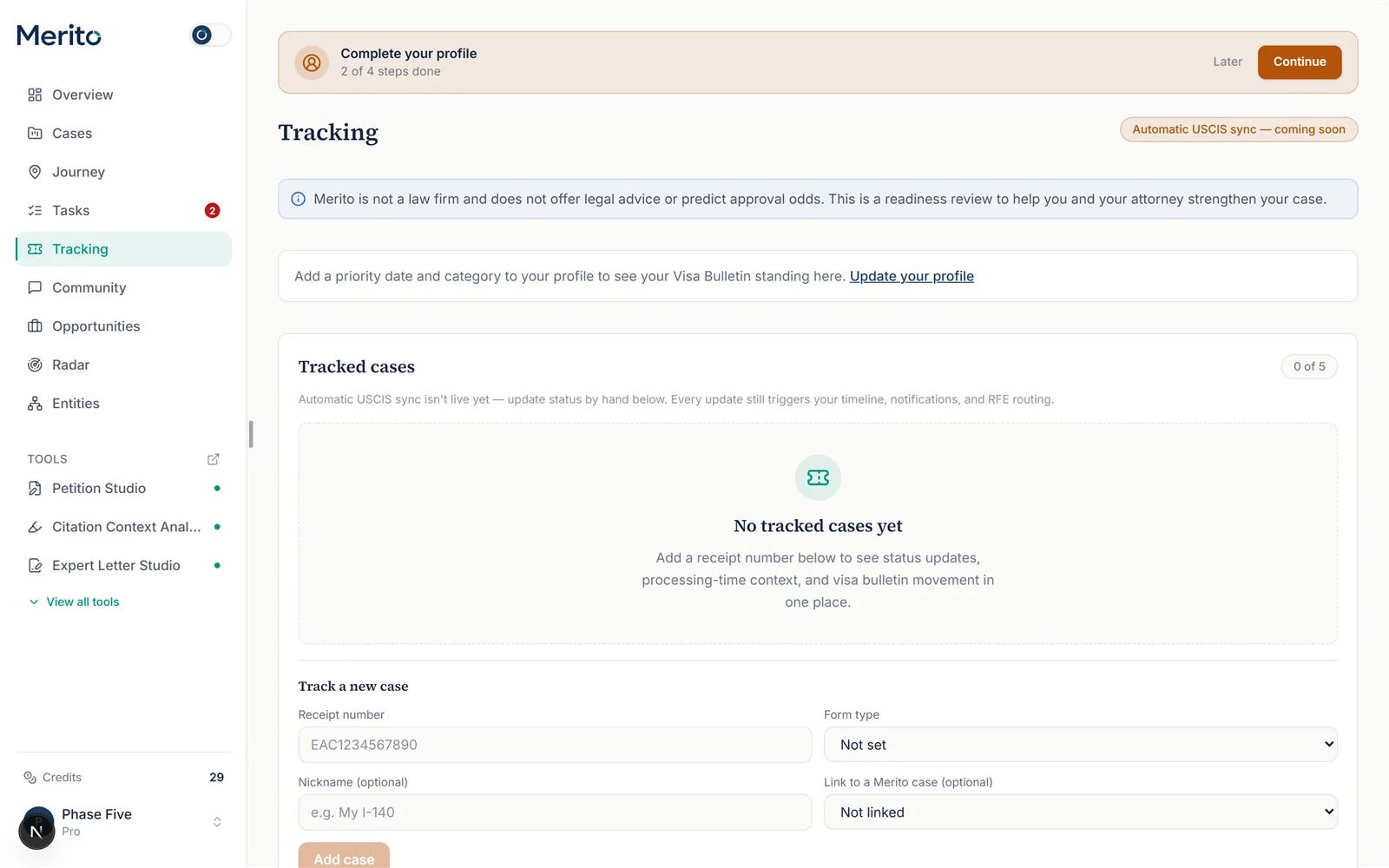
Add a Visa Bulletin profile, if you haven't. If your profile has no priority date or category set yet, you'll see a prompt to add one — do this first if you want bulletin comparisons alongside your case status.
Add a tracked case. Enter your receipt number, optionally a form type (I-140, I-485, I-129, I-360, I-526, or Other), a nickname, and a linked Merito case. Select Add case.
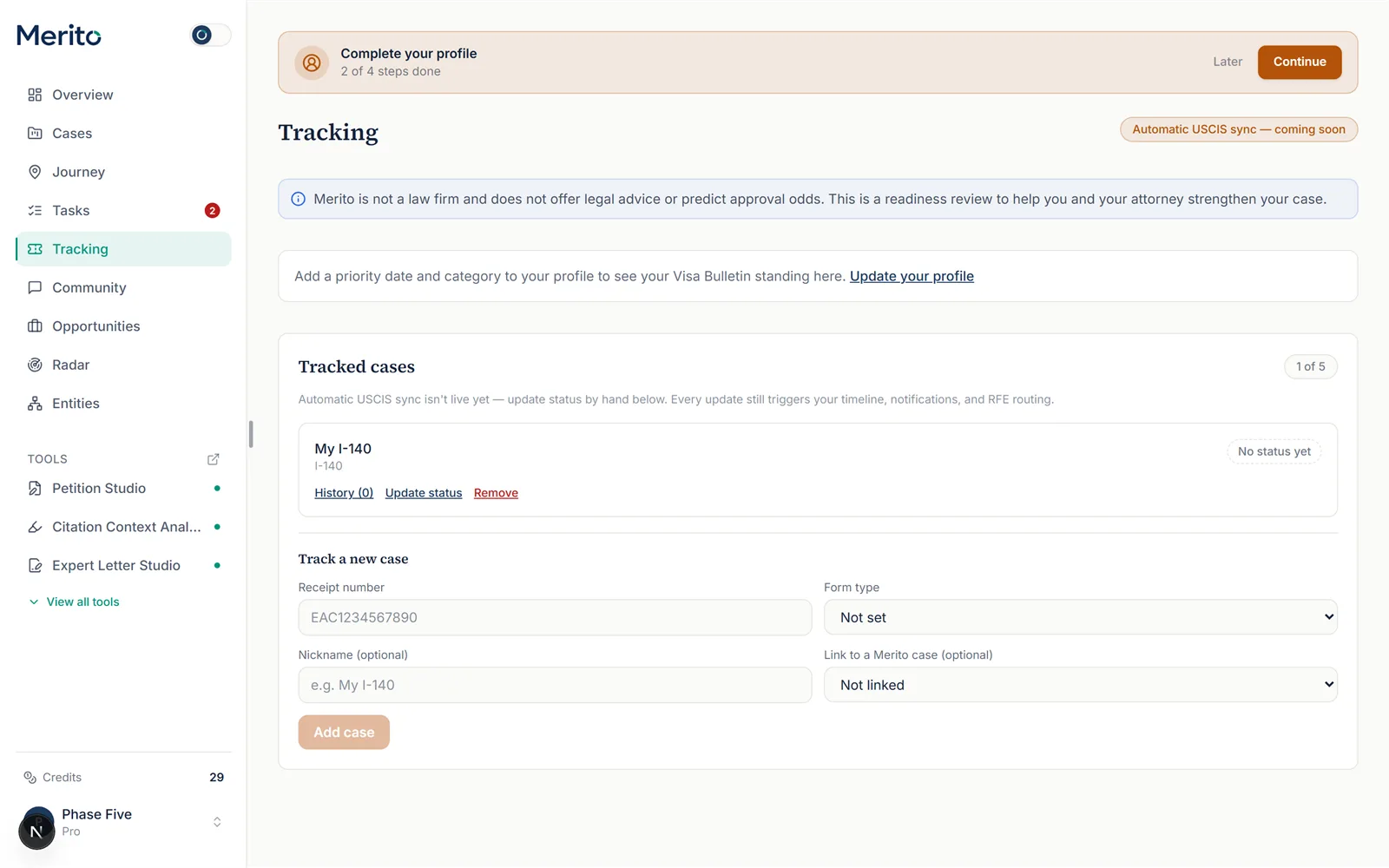
Warning: An invalid receipt number format (not 3 letters + 10 digits) is rejected before submission — double-check it against your actual USCIS receipt notice.
Update status manually. In manual mode, use Update status on the tracked case card to record a new status category (Received, RFE issued, Interview scheduled, Approved, etc.) with an optional note.
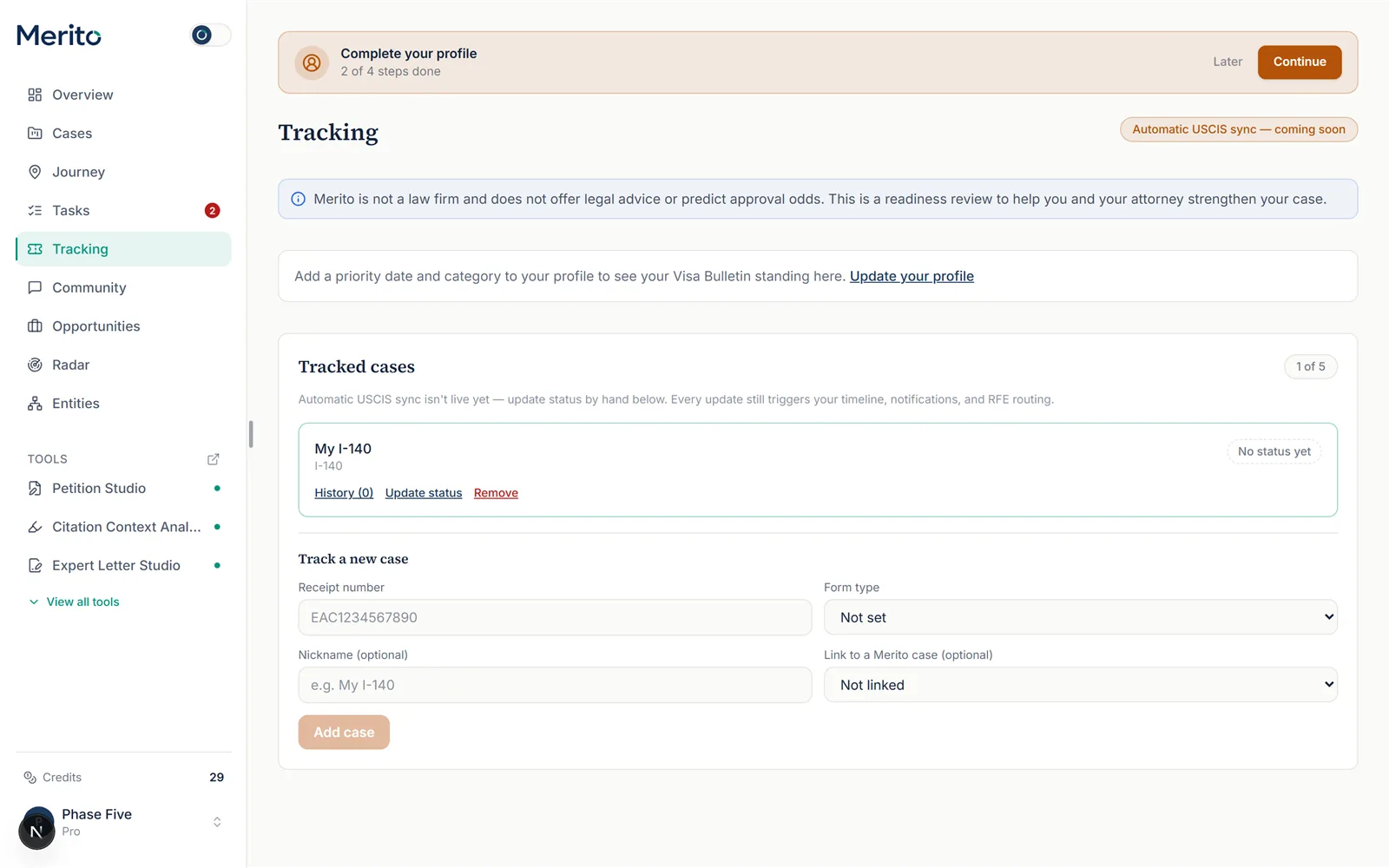
Tip: Every manual update still triggers your timeline, notifications, and RFE routing exactly as a live sync update would — manual mode doesn't mean the rest of the product ignores it.
Add the receipt date. Enter the receipt date printed on your I-797 receipt notice, on the add form or on the case card. Any waiting-time comparison counts from this date, never from the day you added the case to Merito, and Merito never guesses it from the receipt number. When processing-time data for your form and service center is available, the card shows its median and, once your case has been pending longer than USCIS's published range, the date it went outside normal processing (inquiry-eligible). This line is not shown today, because no processing-time data is loaded; without that data, or without a receipt date, no such line is shown.
Review your Visa Bulletin standing. If you've set a priority date and category, the Visa Bulletin card shows whether you're current, how many months away you are if not, and how much the cutoff moved since last month — sourced from that month's Final Action Dates.
Expand history as needed. Select History on any tracked case to see every recorded status change in order.
Reading the result
- Status category — one of: Received, RFE issued, RFE response received, Interview scheduled, Transferred, Approved, Card produced, Denied, Appeal, Other.
- "Outside normal processing time... inquiry eligible" — counted from your receipt date, your case has been pending longer than the upper end of USCIS's published processing range for your form/center, as of the date shown; this is informational, not a guarantee an inquiry will help. It is not shown today (no processing-time data is loaded); it will appear only when processing-time data is available and a receipt date is set.
- Visa Bulletin "Current" / "Not yet current" — whether your priority date is ahead of or behind the cutoff currently published for your category and country.
- "Cutoff moved forward / retrogressed" — how the Visa Bulletin cutoff date changed since last month for your specific category/country combination.
- Manual vs. automatic mode indicator — the "coming soon" badge and manual-mode explainer text tell you which mode is active; there's no separate per-case toggle until automatic sync is live.
Free vs Pro for this tool
- Case Tracking is available on both plans — Free includes real tracking for 1 case at a time, at no cost.
- Pro raises the limit to 5 tracked cases (config-driven via
plans.features_json.max_tracked_cases, never hardcoded) — useful once you're tracking more than one filing (e.g. an I-140 and a later I-485). - The 7-day Pro trial (card required at Stripe checkout, not a no-card trial; 10 trial credits) is worth starting if you need the higher tracked-case limit or other Pro tools — not required just to use tracking itself.
- Canceling is self-serve from your billing page any time before renewal.
- Start your free trial to raise your tracked-case limit alongside the rest of the Pro toolset.
Ready to put this to work on your own case? Start free — no credit card required, or start your free trial to unlock the full Pro toolset. For more background from Merito's parent site, see real EB-1A, O-1A, and EB-2 NIW case studies from EB1 Mentor.
Common mistakes
- Mistaking manual tracking for live sync. Until USCIS credentials are configured, no automatic status polling happens — your status only changes when you update it yourself.
- Entering a malformed receipt number. The 3-letter-plus-10-digit format is validated before submission; a typo in the service-center prefix will be rejected.
- Not setting a Visa Bulletin profile. Without a priority date and category on your profile, you'll never see bulletin comparisons, even with cases tracked.
- Assuming "outside normal processing" means something is wrong. It's a processing-time comparison against USCIS's published range for your form/center, not a signal of an actual problem with your case.
Frequently asked questions
Is this tool syncing my case status automatically right now?
Only once USCIS API credentials are configured for this deployment — until then, it runs in manual mode, and Merito never substitutes mock data for a real sync.
How many cases can I track?
Your plan sets a limit, shown as "X of Y" on the Tracking page; once you hit it, adding more is blocked until you free up a slot.
Can I track a case that isn't linked to a Merito case file?
Yes — linking to a Merito case is optional when adding a tracked case.
What happens if I manually mark my case as RFE issued?
It still triggers the same timeline and RFE routing a live sync update would, including surfacing the Respond stage in Case Journey.
Where does the Visa Bulletin data come from?
The published monthly Visa Bulletin Final Action Dates for your category and country — Merito checks for the next bulletin update automatically.
Does adding or updating a tracked case cost credits?
No — Case Tracking has no per-use credit cost.
Merito is not a law firm and does not offer legal advice or predict approval odds. This is a readiness review to help you and your attorney strengthen your case.