
What it does
- Builds a document checklist from three inputs you choose: visa type (EB-1A, O-1A, or NIW), your field, and the specific criteria you're pursuing — not a generic list shared across every field.
- Groups every item by the exact criterion it's meant to support, plus a "Core petition documents" section that applies regardless of criteria.
- For each document type, shows the quality bar to clear and the common mistakes that trip petitioners up — not just a document name.
This is deterministic, code-generated output built from a template library (@merito/ai/scoring), not an AI call — the same inputs always produce the same checklist.
When to use it
Checklist Generator is a day-one tool — it sits in the Case Journey's Foundation stage, alongside Pathway Navigator, before you've necessarily uploaded anything. Use it before or right after creating your case, to know what to start gathering while Achievement Miner and your own records fill in the details.
It doesn't require a case at all to try — you can run it from the public tool page with no login, and only need an account to keep the result.
Before you start
- No login, no case, no file upload needed to generate a checklist. Just pick your visa type, type your field (e.g. "Computer Science," "Contemporary Dance"), and check off the criteria you're pursuing.
- Cost: free, with no credit cost and no plan restriction — it's on the Free plan's tool list.
- Typical time: under a minute to fill in the form; the checklist itself renders instantly since nothing is AI-generated.
Step by step
Open the Checklist tool. From
/tools/checklist, no login required.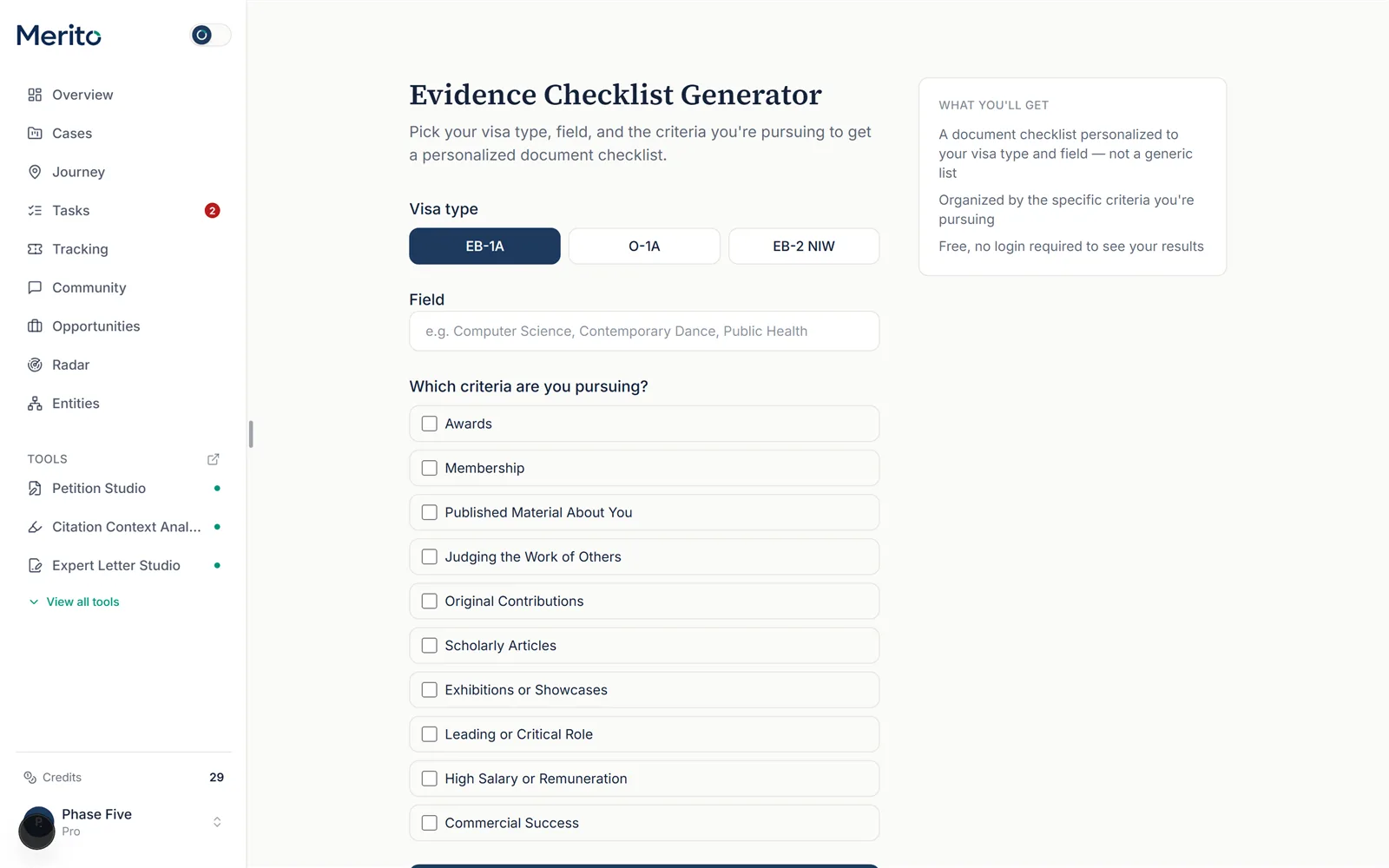
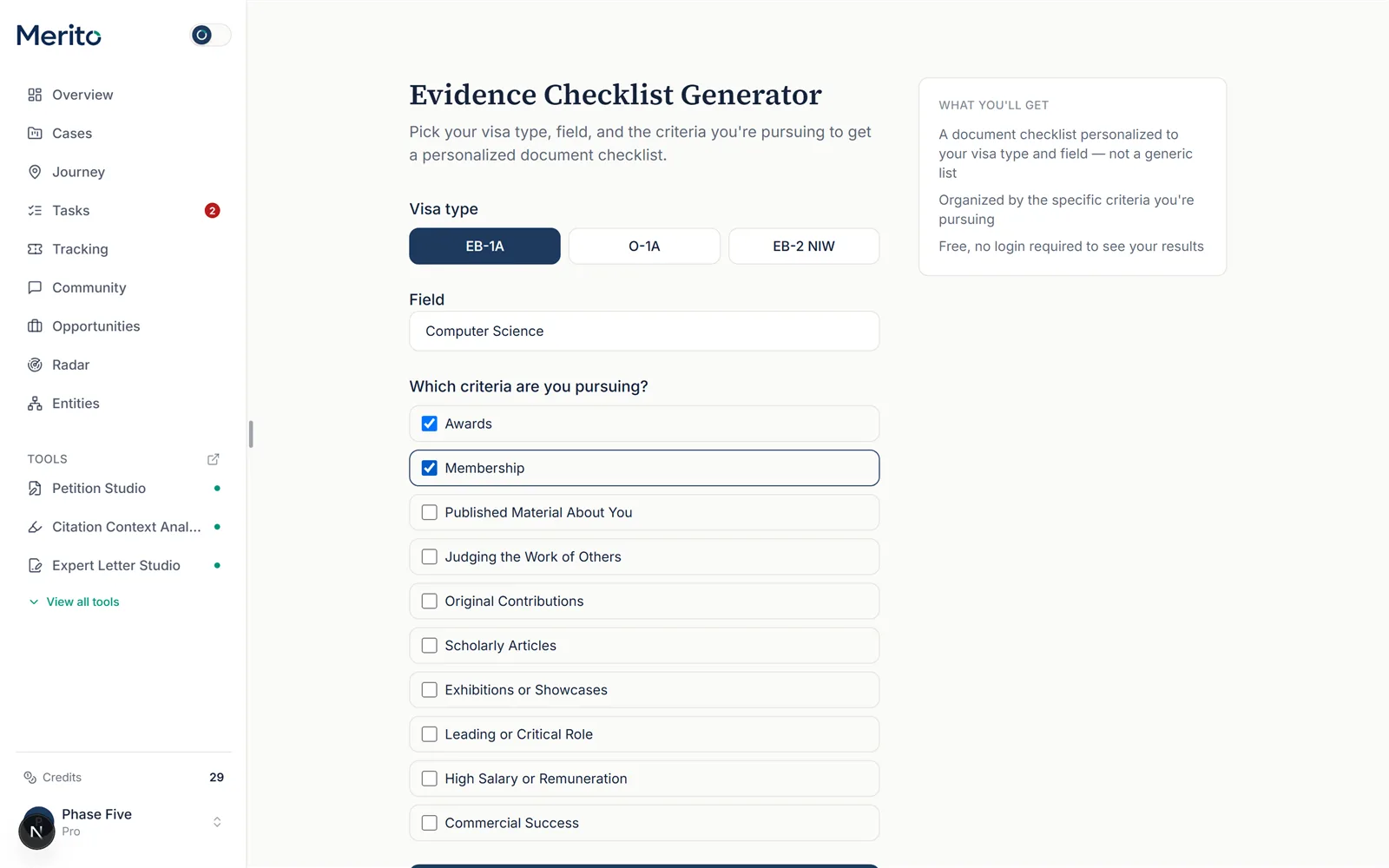
Pick your visa type. Choose EB-1A, O-1A, or NIW. This changes which criteria are available to select in the next step.
Enter your field. A free-text field (e.g. "Public Health"). If you leave it blank, it defaults to "General."
Select the criteria you're pursuing. Check every criterion that applies — you must select at least one to generate a checklist.
Tip: Not sure which criteria fit your case yet? Run Merito Score first, or come back to this after Score tells you which criteria you're already close on.
Generate your checklist. Select Generate my checklist. You land on a results page immediately.
Create a free account to unlock it. The results page first shows a signup wall — how many documents are waiting, but not the list itself. Sign up (email or Google, no card, ~10 seconds) and the full checklist unlocks in place, on the same page.
Read your checklist and download the PDF. Once unlocked, scroll through each criterion's section. Select Get your full PDF checklist to download a copy, or Start a new checklist to try different inputs.
Reading the result
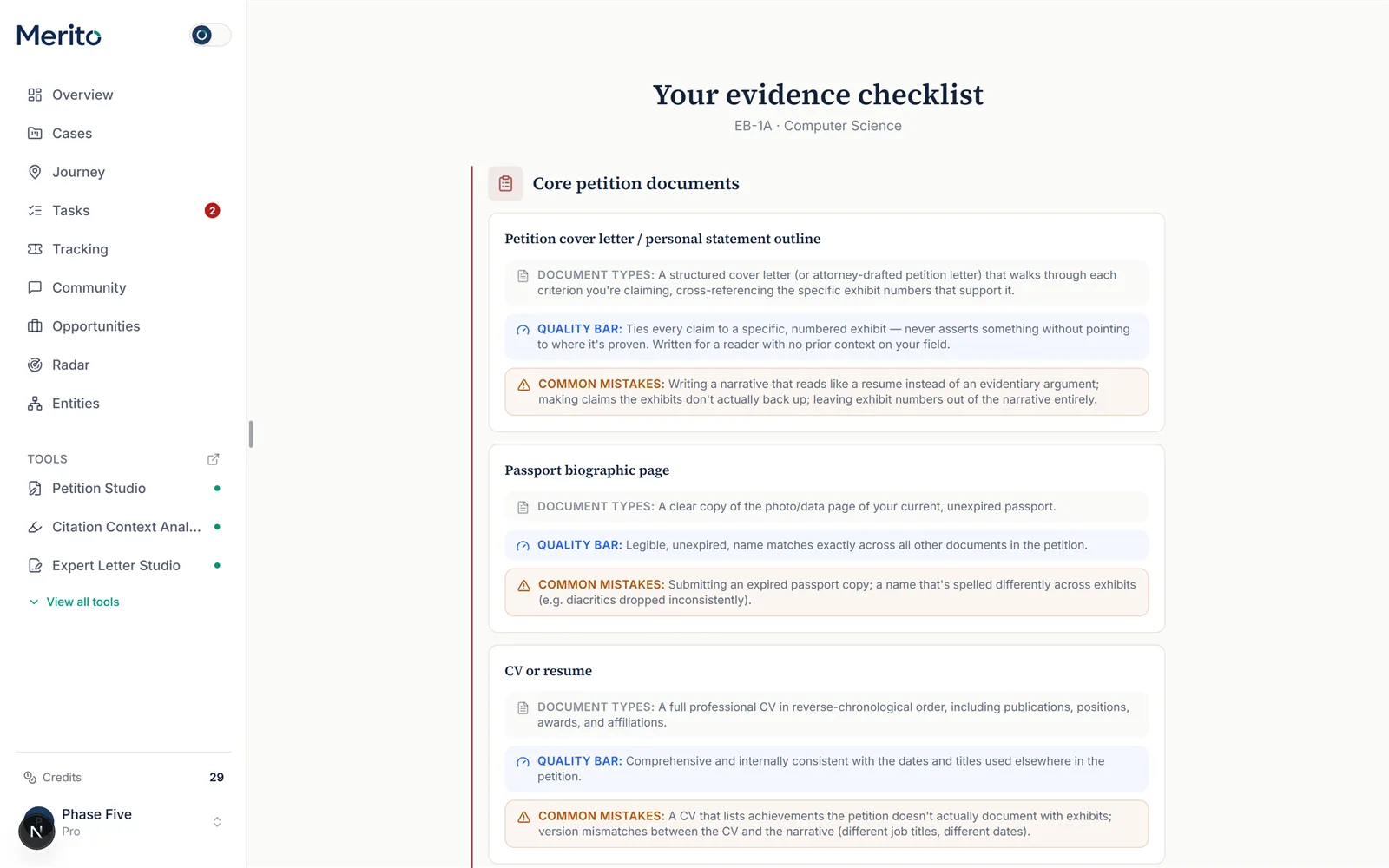
- Core petition documents — items every visa type needs regardless of which criteria you selected (identity documents, forms, etc.).
- Document types — the specific kinds of documents that satisfy this checklist item.
- Quality bar — what separates a document that actually helps from one that's just filler.
- Common mistakes — the specific way petitioners get this document type wrong, shown in a warning-tinted callout.
- "Commonly requested alongside this criterion" — evidence kinds that tend to travel together with this criterion in real cases, a lightweight co-occurrence hint, not a citation to a specific decision.
Free vs Pro for this tool
- The checklist itself is entirely free and stays free — this is a Free-plan tool, not a teaser for a paid one.
- What's Pro-only is everything after the checklist: tracking each document as you actually gather it inside a real case, and running Merito Audit's deterministic document checks before you file.
- No card is required to create the free account that unlocks your results, and — separately, for the paid Pro plan — canceling later is self-serve from your billing page.
- Start your free trial if you want to move from a static checklist to a tracked, case-linked one.
Ready to put this to work on your own case? Start free — no credit card required, or start your free trial to unlock the full Pro toolset. For more background from Merito's parent site, see real EB-1A, O-1A, and EB-2 NIW case studies from EB1 Mentor.
Common mistakes
- Selecting every criterion "just in case." A checklist built against criteria you're not actually pursuing pads the list with irrelevant document types — select only what you're genuinely arguing.
- Treating the checklist as a fixed one-time download. The public version doesn't track what you've gathered — create a free account and move into a real case to get that tracking.
- Skipping the field input. Leaving it blank defaults to "General," which produces a slightly less field-specific checklist than typing in your actual field.
- Confusing "document type" with "quality bar." Having the right kind of document (e.g. a press article) isn't the same as having one that clears the quality bar described under each item — read both.
Frequently asked questions
Do I need an account to build a checklist?
No — building it is completely anonymous. You only need a free account to see the results.
Is the checklist AI-generated?
No. It's built from a deterministic template keyed to your visa type, field, and selected criteria — the same inputs always produce the same list.
Can I change my criteria after generating a checklist?
Yes — select Start a new checklist to run it again with different inputs; each run is independent.
Does this tool cost credits?
No. It has no credit cost and no plan restriction.
Can I get the checklist as a PDF?
Yes, from the results page once your account is created.
What's the difference between this and Pathway Navigator?
Pathway Navigator helps you figure out which visa type and criteria to pursue in the first place; Checklist Generator assumes you already know and builds the document list for it.
Merito is not a law firm and does not offer legal advice or predict approval odds. This is a readiness review to help you and your attorney strengthen your case.